A study done by Thorn showcased that approximately 1 in 3 minors aged 9-17 have been exposed to sexual interactions online (Thorn, 2023).
There is no doubt that the internet plays a very important role in our daily lives — working from home, business efficiency, homeschooling, connecting with family members long distance — and that's just to name a few.
While the benefits of good internet access continue to increase, the risks and challenges associated with it do as well, particularly for minors with little supervision. This article gives you easy and practical steps to keep your kids' online consumption as safe as possible.
1
Parental control software and apps
Kaspersky Safe Kids and Qustodio are just a few examples of apps that allow you to filter and block specific sites or content based on age-appropriate ratings — and the best part is they are completely free.
Other free parental control apps to consider:
🔐 Google Family Link (mobile app control)
🔐 Microsoft Family Safety (Windows & Xbox)
🔐 OpenDNS FamilyShield (advanced filtering)

A young girl playing her favourite online game using uncapped wireless internet
Pro Tip
If you have more than one child, consider creating a separate profile for each child so that you can customise settings based on their age.
2
Educate your children about online privacy and data protection
This step might feel a little daunting, especially if you're not a tech-savvy parent, but educating your children about online privacy and data protection from an early age is vital. Here are a few simple tips you can teach them — no PhD in technology is required.
1️⃣ Use strong passwords and enable two-factor authentication whenever possible.
2️⃣ Be cautious when clicking on links or downloading files from untrusted sources.
3️⃣ Avoid oversharing personal information (such as home address, phone number and school details), especially without your consent as a parent.
4️⃣ Think before you post! What you post on social media can have long-term consequences.

A mother educating her son about online safety via computer connected to fast internet
Pro Tip
Introduce one habit at a time. A stronger password this week, two-factor authentication the next — small changes are far more likely to stick than one long lecture about internet safety.
3
Monitor trending apps, games and social media platforms
It's no surprise that whenever a new social app or game comes out, your child is the first one to know about it. That's why it's so important for parents to stay up to date with the latest trends and the risks that might come along with them.
A great method to use is the 4 Rs:
1️⃣ Regularly review the apps and games your children are using.
2️⃣ Research privacy settings and any other risks.
3️⃣ Read reviews to see if other parents have raised concerns.
4️⃣ React IMMEDIATELY by setting restrictions if needed.

A young child picking a movie to watch using a fast, reliable and affordable internet connection
Remember
Cyberbullying, online predators and exposure to inappropriate content happen every day. Stay involved in your child's online activity, teach them about online etiquette and safety as soon as they can understand it, and implement parental controls or restrictions when necessary.
4
Teach your children to identify "fake news" and online scams
The internet is flooded with propaganda and fake news that are used as bait, which is why it's essential to teach your children how to identify and avoid these types of deceptive content. How do you do that:
1️⃣ Encourage your children to verify information by asking you as a parent — or, if they're old enough, by checking a reputable online source — before believing or sharing it.
2️⃣ Ask your children to get your approval before they make any online payments with your bank cards.
3️⃣ Teach your kids to avoid clicking on random online banners — these can lead to fake websites or inappropriate content. Encourage them to ask you first if something seems suspicious.

A parent checking social media platforms using reliable WiFi
Pro Tip
Most scams work by creating urgency. Teach your children that anything online telling them to act right now — before a prize expires or an account closes — is the exact moment to stop and come and ask you.
5
Ensure you have reliable internet access
Unreliable internet can expose your home devices to security risks, make parental controls ineffective, and disrupt important security updates.
Upgrade your home internet with WIRUlink today. Our fast, reliable and affordable internet solutions will ensure your family's online experience is secure, uninterrupted and safe.
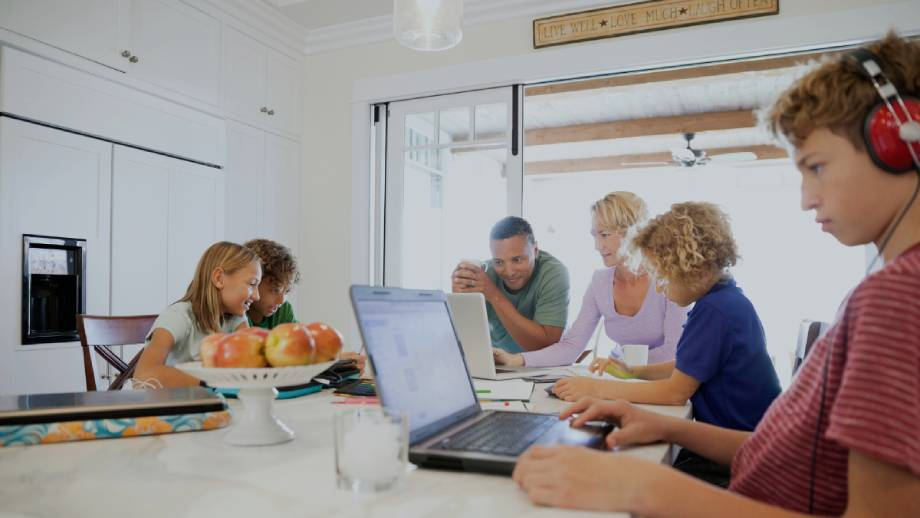
A family connected to fast uncapped home internet while using multiple devices
Pro Tip
Your filters and controls only work while the connection is up. When the home WiFi drops and a child switches to mobile data or a neighbour's network, none of those protections travel with them.